HRMS
The hire becomes the employee. Same record, same login.
Employees, onboarding, shifts and attendance, leave, expenses, letters and payslips. Take it with Hiring, or on its own.
- Employee logins free
- Phone check-in, no app store
- Payslips every month
- Data in Mumbai
- Excel import of staff
- Works alone or with Hiring
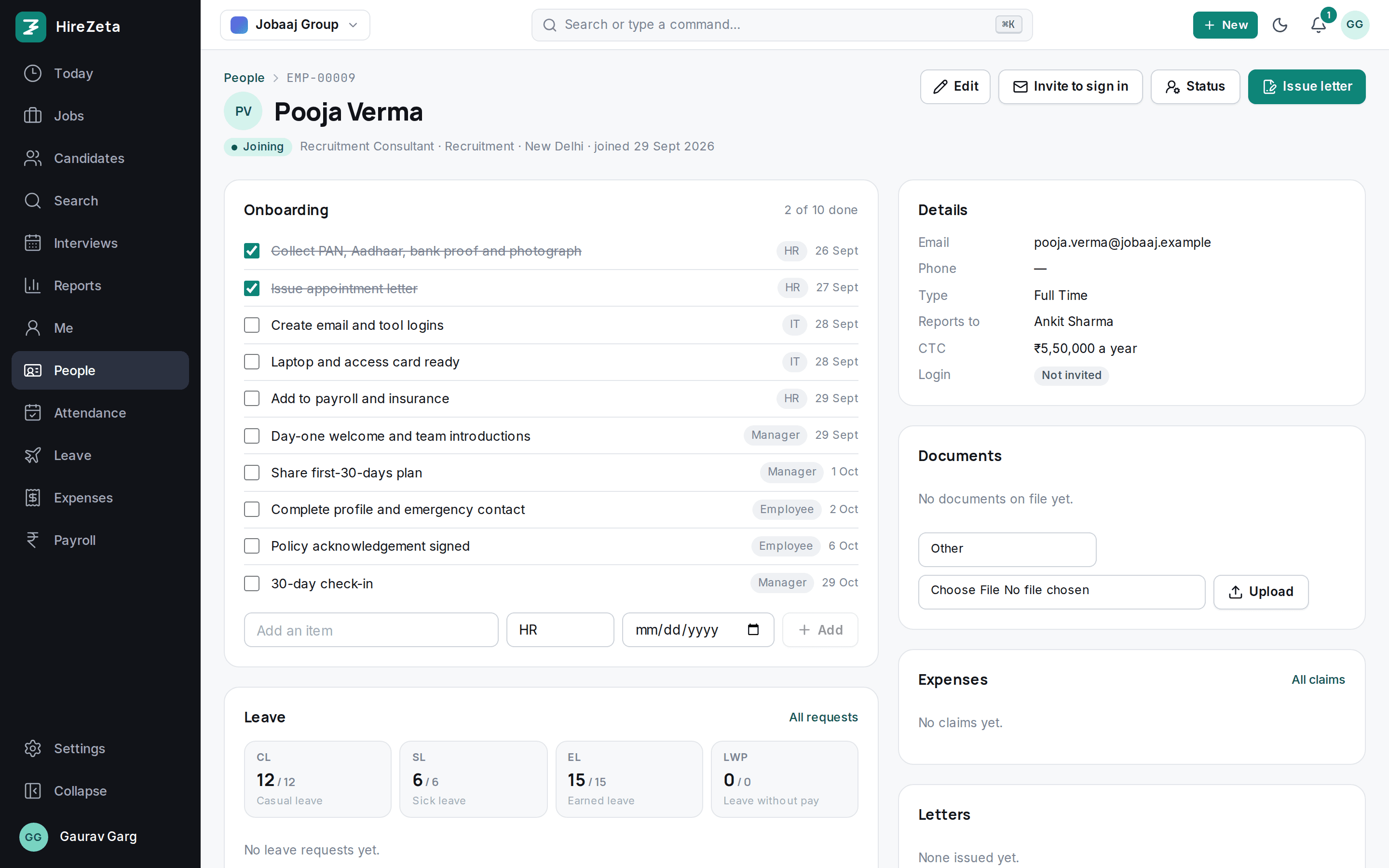
Eight modules, one employee record.
Every module reads the same person the pipeline created, or the one you imported. Nothing is typed twice.
Employees
Created from accepted offers or imported from Excel. Profile, department, manager, documents, org chart.
Onboarding and exit
Checklists owned by HR, manager, IT and the employee, with due dates from the joining or last day.
Attendance
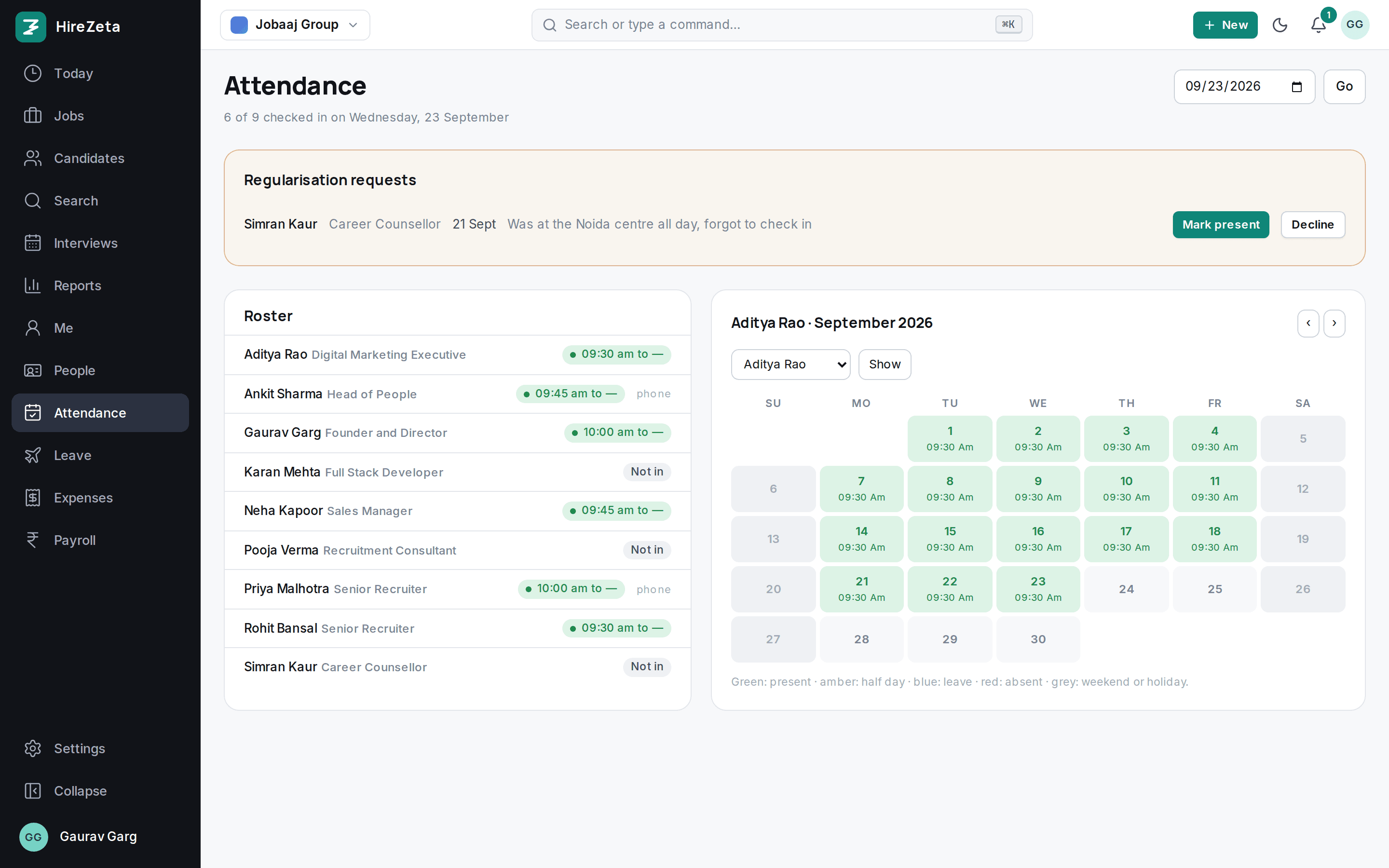
Check in on the phone, on office Wi-Fi or by scanning the kiosk QR at reception. Geofence optional, regularisation, month grid per person.
Shifts
Start and end, grace minutes, half-day hours, weekly offs and time zone. Night shifts across midnight, late marks.
Leave
Your policies, pro-rated balances, holidays skipped, half days, manager and HR approval.
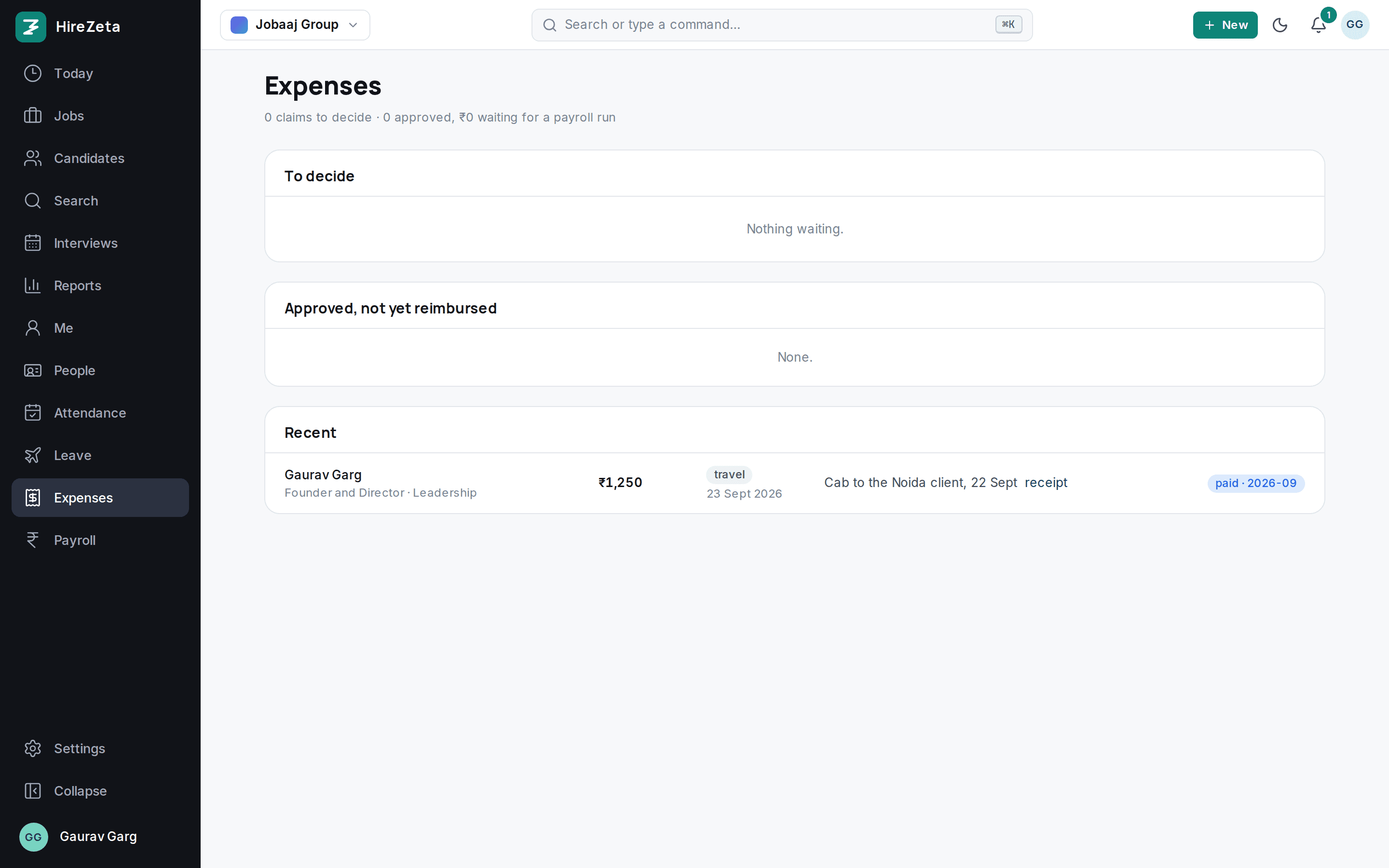
Expenses
Claims with receipts, approvals, and reimbursement on the next payroll run.
Letters
Appointment, confirmation, relieving and experience letters from templates, on letterhead.
Payroll and payslips
Salary structure, PF, ESI, professional tax and TDS, loss of pay pro rata. Payslips published to each employee, inputs as CSV.
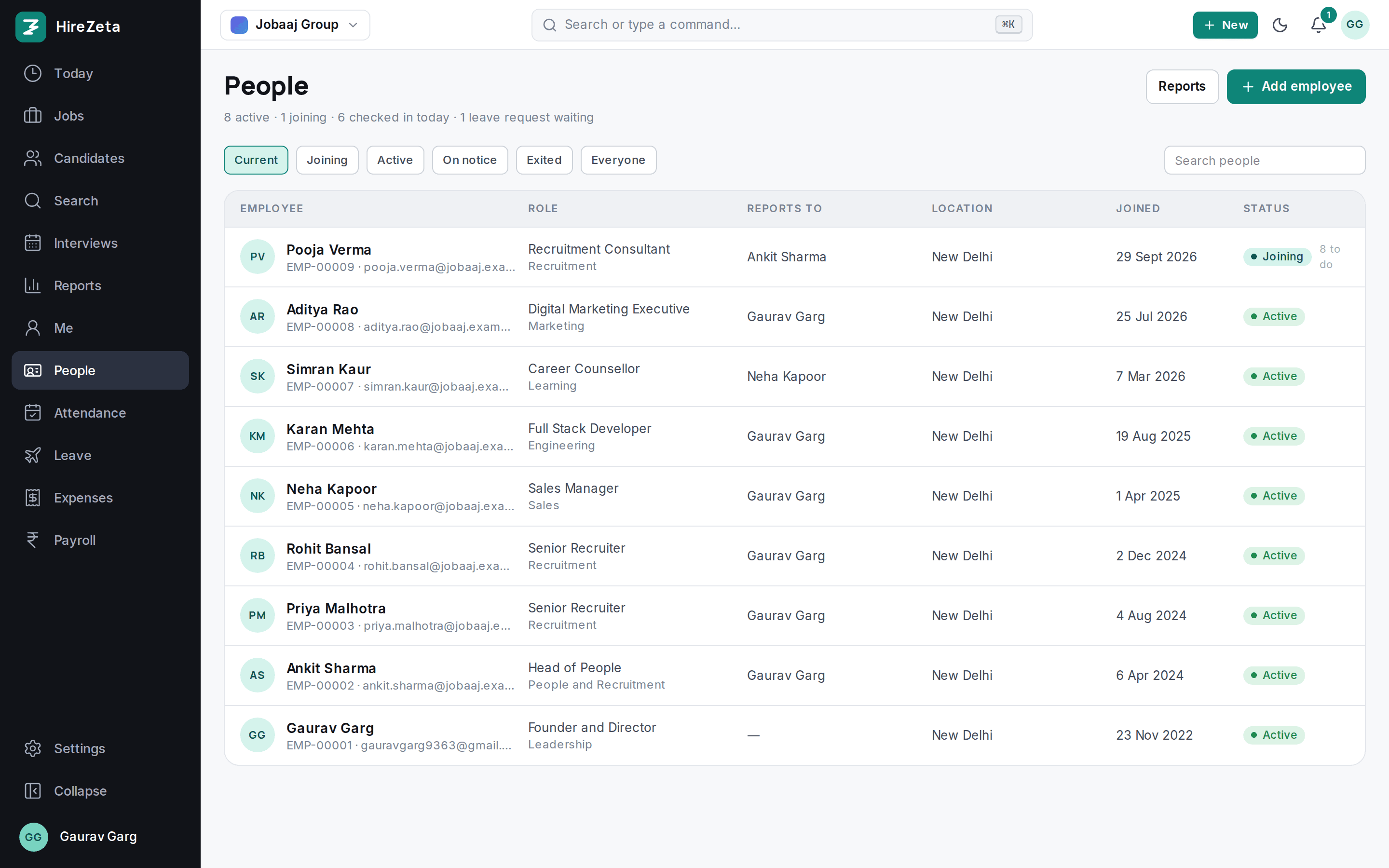
Every person on one list, from joining to exit.
Status, designation, department, reporting line and joining date. Joiners show what is left on their checklist. Exits get their own checklist and full-and-final inputs.
- Employee created automatically when an offer is accepted
- Documents carried over from the candidate record
- Import existing staff from Excel in one go
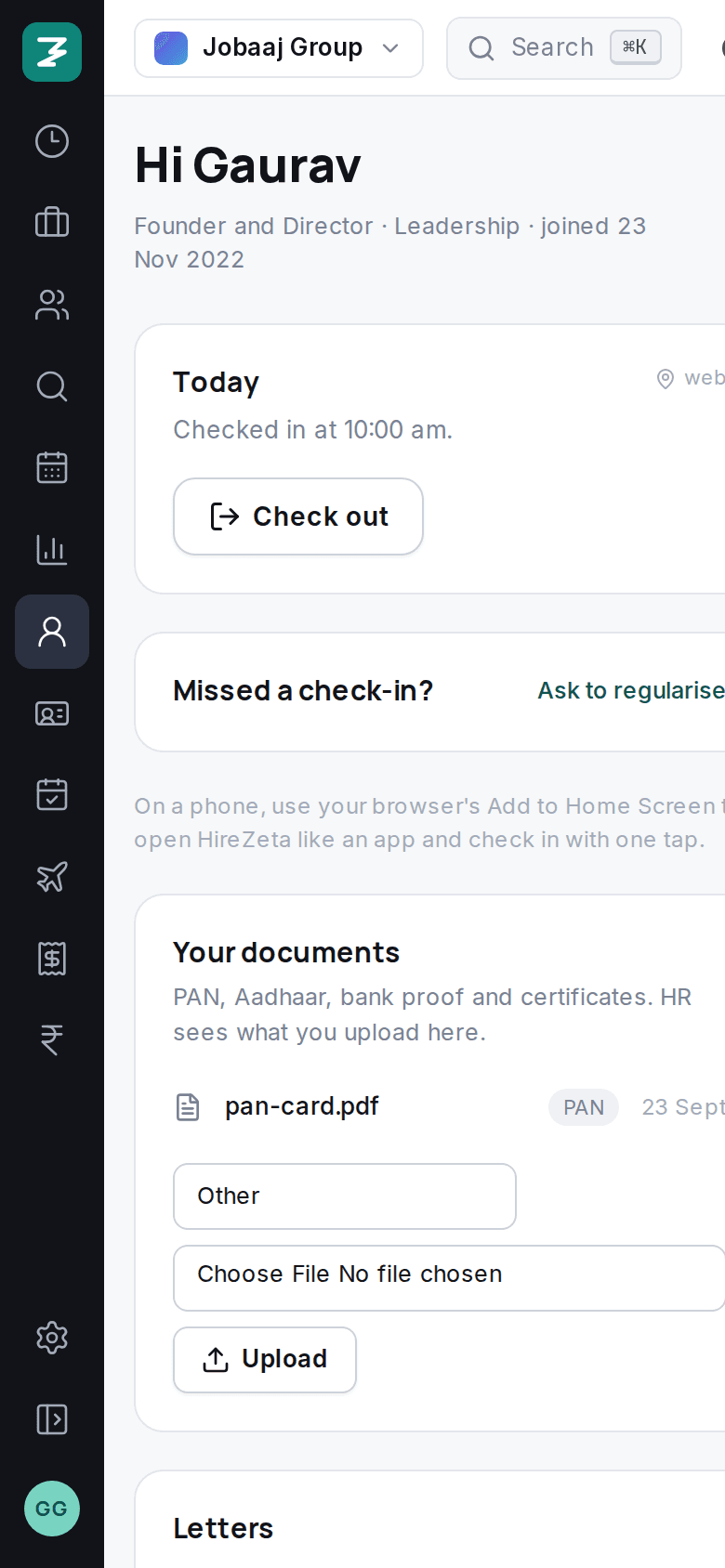
Employees serve themselves. HR stops chasing.
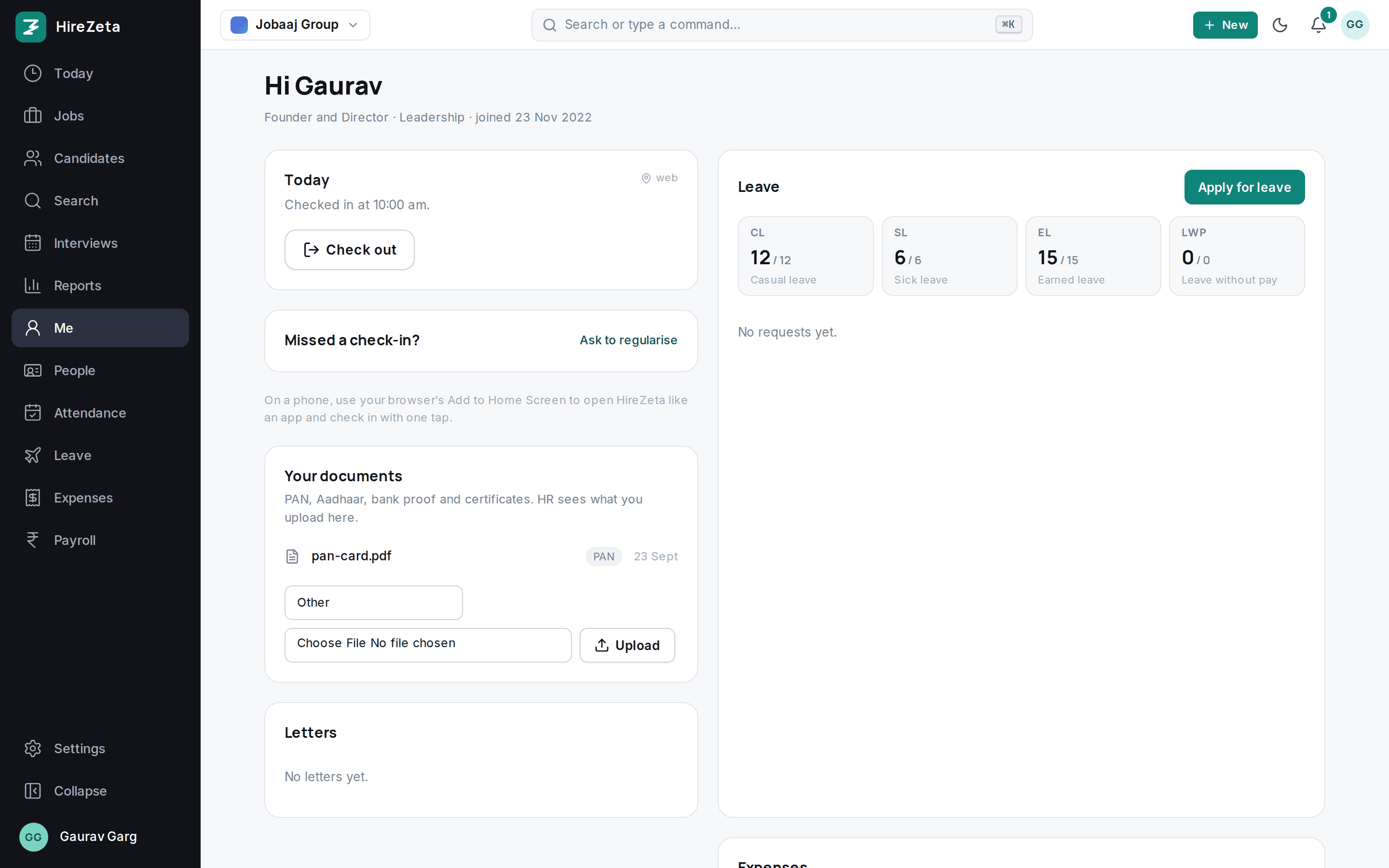
Check in, apply for leave, claim an expense, download a letter or a payslip. On a phone it installs to the home screen. Employee logins are free and never count as a seat.
- One-tap check-in and check-out
- Balances by leave type, half days, holidays skipped
- Payslips under Me, ready to download
Check-in that knows the office, without GPS.
Add the office's public IP and check-ins from the office Wi-Fi count as in office. Or put a screen at reception: it shows a QR code that changes every 30 seconds, and employees scan it with the phone camera to check in or out. The geofence is still there if you want it.
- Require office check-in, or allow anywhere and flag it as unverified
- Shifts per person, else department, else office, else the default
- Late marks after the grace minutes, night shifts across midnight
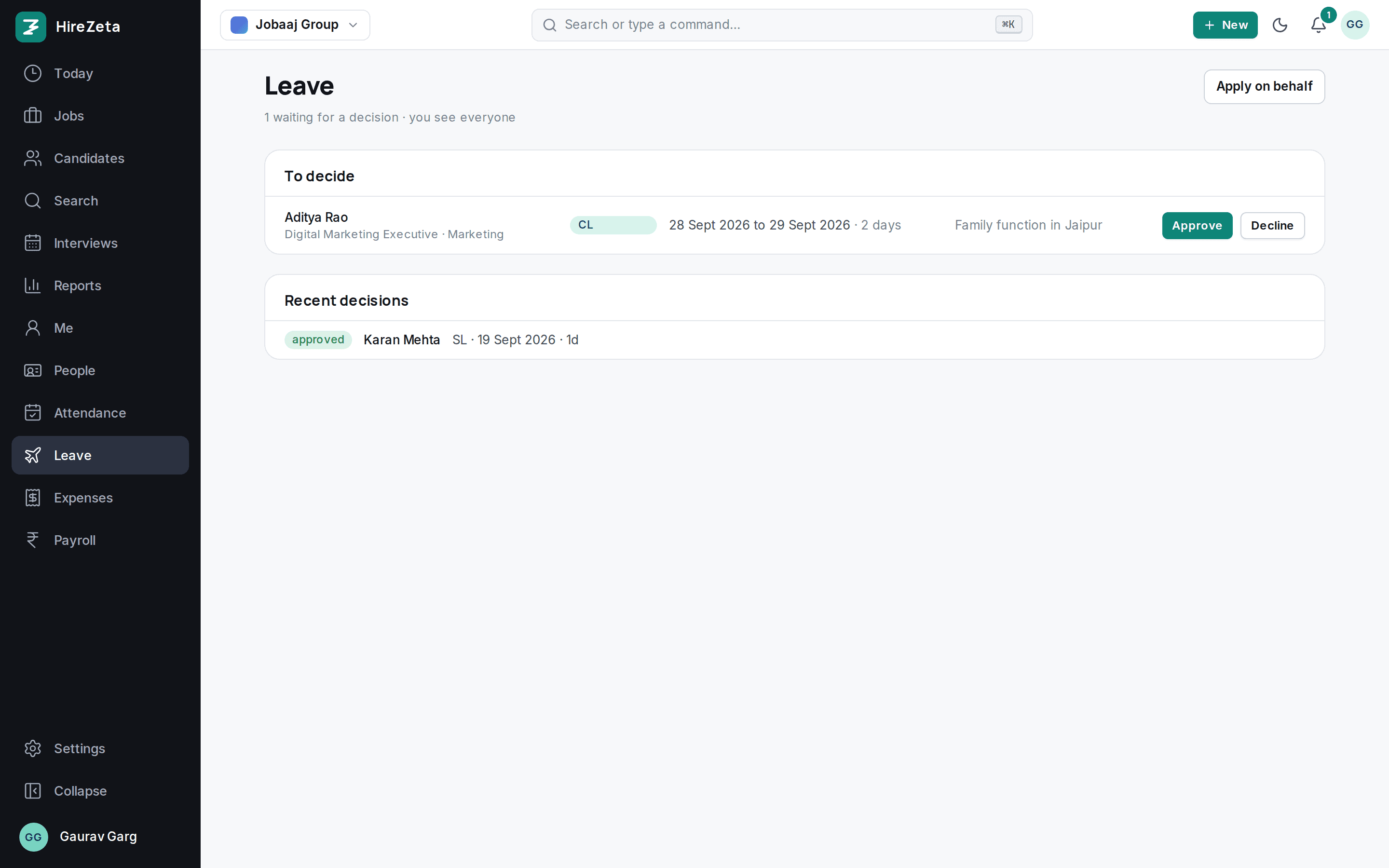
Approvals land with the manager, then HR.
Leave, attendance fixes and expense claims go to the reporting manager first. HR sees everything, decides in one click, and the employee is told.
- Notifications in the app and by email
- Approved leave lands on the attendance grid
- Approved expenses move to the payroll run
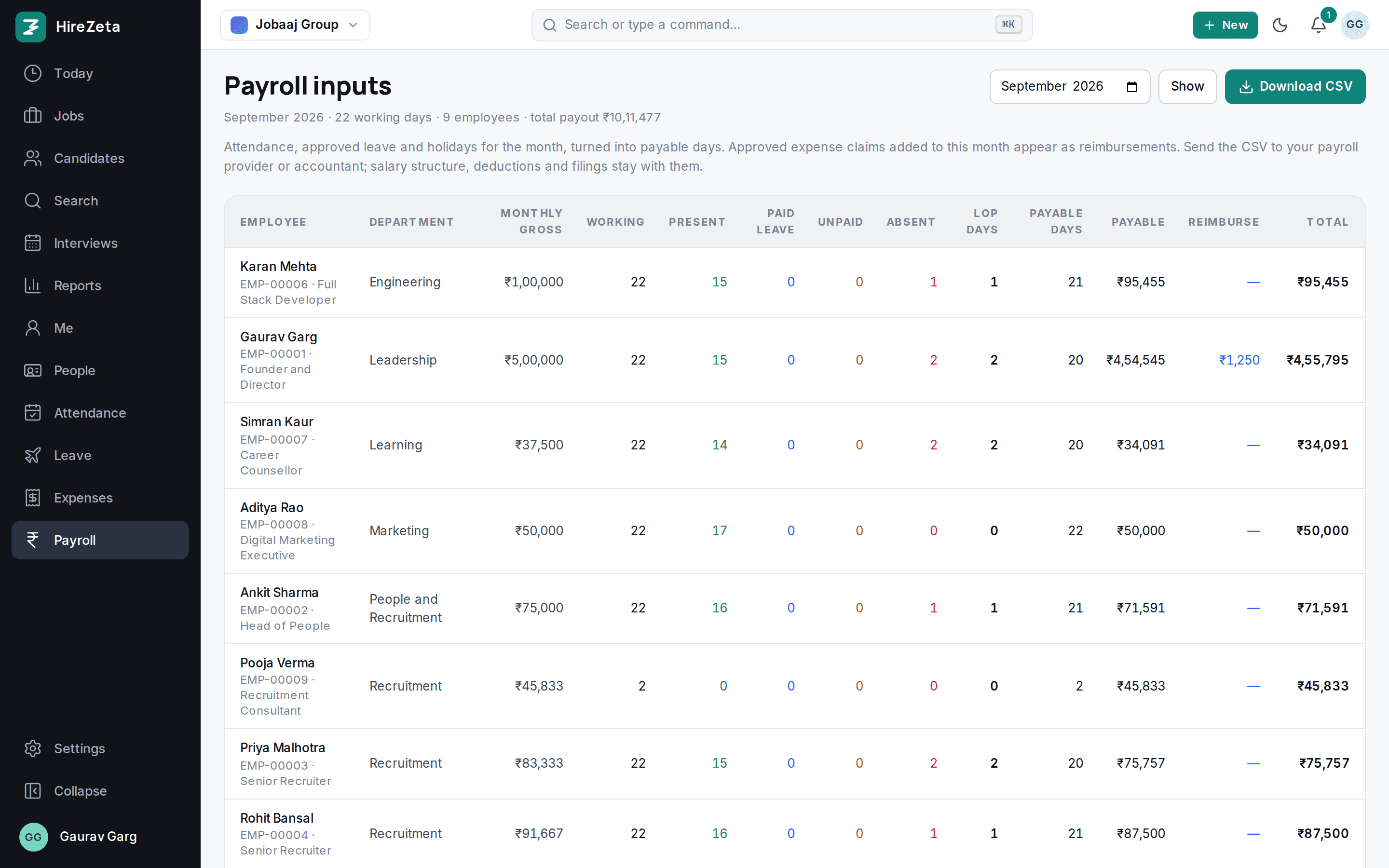
Payslips every month, from the attendance you already have.
Set the salary structure once: basic as a share of gross, HRA, conveyance, PF at 12% of basic with the cap, ESI at 0.75% up to ₹21,000 gross, professional tax by state, and TDS calculated every month under the 2026-27 rules: new regime by default, or the old regime with each employee's declared rent, 80C, 80D and home loan. Loss-of-pay days reduce each component pro rata. HR publishes the month from Payroll, and each employee can get an email with a link. The quarterly TDS return data is one download for your CA, and employees get their Form 130 (which replaced Form 16) under Me once you upload it from TRACES. PF and ESI returns stay with your accountant.
- Working days follow each person's weekly offs
- Pro rata for joiners and leavers
- Payroll inputs as CSV, reimbursements from approved claims
Reports HR actually asks for.
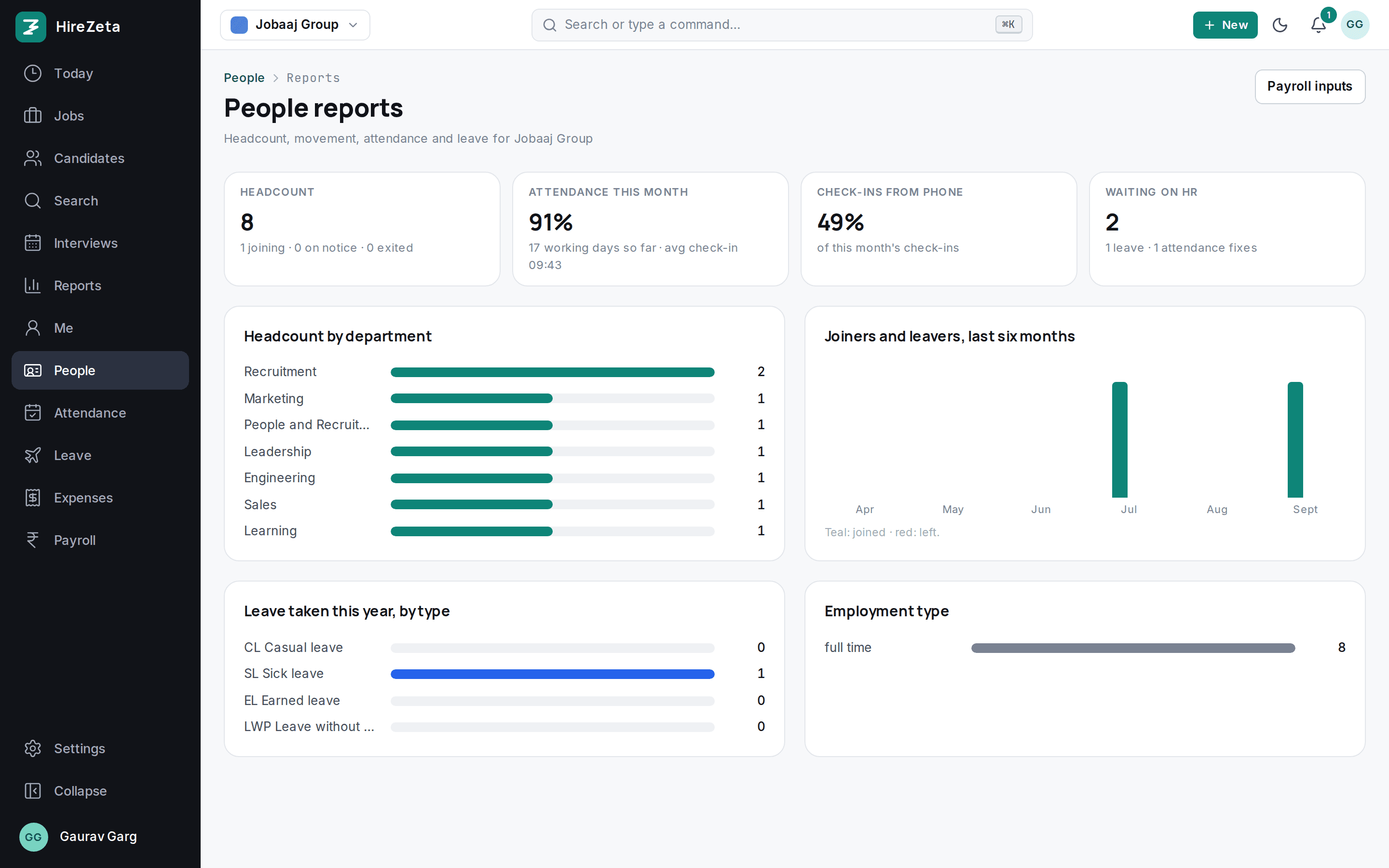
Headcount by department, joiners and leavers by month, attendance percentage, average check-in time, leave by type and what is waiting on HR.
- Attendance roster and month grid per employee
- Org chart from reporting lines
- Audit log of every change
Questions
Can we take HRMS without Hiring?+
Yes. Choose HRMS at sign-up, or ask sales to switch it on. You get People, attendance, leave, expenses, letters and payslips, and none of the hiring screens. Add Hiring later and the two share one login and one employee record.
How is HRMS priced?+
HRMS is part of every plan up to its employee limit: 50 on Starter, 250 on Growth and unlimited on Scale and Enterprise. Employee logins are free. Talk to sales for a plan sized to your headcount.
Does it run payroll?+
It works out the month and issues payslips: salary structure, PF, ESI, professional tax, TDS and loss of pay, from attendance and leave. Employees see and download their payslips under Me. TDS is calculated for each employee from their regime and declaration, with a tax computation they can download, and the quarterly return data exports for your CA. It does not file the TDS, PF or ESI returns itself (Form 130, the new Form 16, comes from TRACES after filing; you upload it and employees download it), and it does not pay salaries. The inputs are also available as a CSV.
Do employees need GPS to check in?+
No. Check-ins from the office Wi-Fi count as in office, or employees scan the kiosk QR at reception with the phone camera. You choose whether to require an office check-in or allow anywhere and flag it.
Do you handle shifts and night shifts?+
Yes. Each shift has start and end times, grace minutes, half-day hours, weekly offs and a time zone, and can cross midnight. A person gets their own shift, else their department's, else their office's, else the default.
Do employees need the app store?+
No. HireZeta installs from the browser with Add to Home Screen on Android and iPhone, and check-in is one tap.
Where is the data?+
AWS Mumbai, encrypted at rest and in transit, isolated per organisation, exportable as CSV at any time. Documents are served only to signed-in members.
Set up in an afternoon. Hire from tomorrow.
Import your candidates, invite the team, post a role. Fourteen days free, every feature, no card.